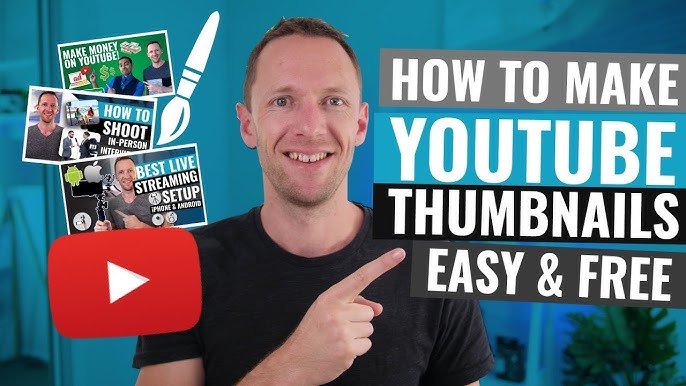

In today’s fast-paced digital landscape, visuals play a critical role in grabbing attention — and thumbnails are often the very first impression your audience gets. Whether you’re a YouTuber, marketer, educator, or content creator, a high-quality branded thumbnail can drastically improve click-through rates and brand recognition. However, creating consistent, eye-catching thumbnails manually for every piece of content can be time-consuming.
That’s where AI-powered thumbnail creation tools come in. They allow creators to design branded, professional-looking thumbnails quickly and at scale — maintaining consistency across all videos or campaigns. Let’s explore how you can create branded thumbnails efficiently using AI, along with the best tools and strategies to get started.
1. Understanding the Importance of Branded Thumbnails
Branded thumbnails aren’t just about looks — they serve a deeper marketing purpose. A good thumbnail helps viewers instantly recognize your content in a crowded feed. By maintaining consistent colors, typography, and layout, you create video maker a visual identity that strengthens your brand presence.
For instance, educational YouTube channels like CrashCourse or TED-Ed use distinctive thumbnail styles that reflect their tone and content type. When viewers see those familiar designs, they immediately associate them with high-quality, trusted content.
Consistency not only builds trust but also boosts your overall engagement. Thumbnails act as micro-advertisements for your content, and AI tools make it possible to keep them visually unified across hundreds of videos.
2. How AI Simplifies Thumbnail Creation
Traditionally, creating thumbnails required design skills, software like Photoshop, and lots of manual work. But with AI design tools, much of this process is automated. These tools use machine learning to analyze your content — such as video titles, key frames, and brand assets — and generate ready-to-use thumbnails in seconds.
Here’s how AI typically helps:
- Automated design layouts: AI selects optimal text placement, font size, and image composition.
- Brand template generation: Once you upload your logo and brand colors, the tool automatically applies them to all thumbnails.
- Image recognition: AI identifies high-impact visuals from your video to use as thumbnail backgrounds.
- Bulk generation: Create hundreds of thumbnails in minutes for large-scale campaigns.
By using AI, creators can save hours of repetitive work while maintaining high-quality, consistent visuals.
3. Top AI Tools for Creating Branded Thumbnails
1. Canva Magic Design
Canva’s Magic Design feature uses AI to suggest templates, color palettes, and font combinations based on your content type. It’s perfect for teams that want quick, on-brand thumbnails with minimal effort. You can upload your brand kit (logo, colors, fonts) and let the AI handle the rest.
2. Fotor AI Thumbnail Maker
Fotor’s AI-powered thumbnail maker automatically generates YouTube-optimized designs. It detects key visuals and allows batch editing, which is ideal for creators managing multiple videos or channels.
3. Adobe Express (AI Beta)
Adobe Express now integrates AI features that can create thumbnails with auto-layout and text enhancement. You can input a title or theme, and the AI will generate several thumbnail options that align with your brand style.
4. Simplified AI Designer
Simplified offers an AI thumbnail generator that allows teams to design, collaborate, and publish thumbnails at scale. It’s especially useful for digital marketing teams handling multi-platform campaigns.
5. Snappa AI Templates
Snappa provides AI-assisted templates tailored for YouTube, blogs, and social media. With smart resizing and brand storage features, it ensures your thumbnails look cohesive across every platform.
6. VistaCreate (formerly Crello)
VistaCreate uses AI-assisted editing to make thumbnails that align with your brand’s visual tone. Its automation tools let you adjust text, images, and colors across multiple designs in seconds.
7. RelayThat
RelayThat focuses on brand consistency. It uses AI to automatically adapt your brand visuals to various sizes and formats, making it perfect for scaling thumbnail production across YouTube, podcasts, and blogs.
4. Setting Up Your Brand Kit for AI Tools
Before you start using AI thumbnail creators, it’s essential to establish your brand kit. This helps AI tools generate designs that align with your identity. Here’s what to include:
- Logo: High-resolution PNG with a transparent background.
- Color Palette: Choose 2–4 brand colors that reflect your tone.
- Typography: Select one main font for headings and a secondary for details.
- Visual Style: Define your preferred aesthetic — minimal, bold, playful, or professional.
Once uploaded, AI tools can apply these elements automatically to every design, ensuring consistency even when scaling across dozens of thumbnails.
5. Using AI to Generate Thumbnails at Scale
Here’s a simple workflow for producing branded thumbnails in bulk:
- Upload Content Information: Provide video titles, keywords, or short descriptions.
- Select a Template or Style: Choose a layout or let the AI auto-select based on your past designs.
- Generate Variations: Most tools can create multiple thumbnail versions; review and pick your favorites.
- Batch Edit & Approve: Adjust details like font size or imagery across all designs at once.
- Export & Upload: Download thumbnails in the correct resolution (usually 1280×720 for YouTube).
This process allows you to create dozens — even hundreds — of thumbnails in a fraction of the time it would take manually.
6. Best Practices for Effective Thumbnails
Even with AI’s help, creativity and strategy still matter. Keep these tips in mind:
- Use Faces and Expressions: Thumbnails featuring expressive faces tend to attract more clicks.
- Keep Text Short: Use 3–6 impactful words to capture the essence of your content.
- Ensure Readability: Contrast text with the background for better visibility.
- Maintain Consistency: Stick to your brand colors and fonts across all thumbnails.
- Test and Optimize: Use A/B testing tools to see which thumbnail designs perform best.
7. Advantages of Using AI for Thumbnail Production
- Speed: Generate designs in seconds.
- Consistency: Maintain uniform branding across all visuals.
- Scalability: Easily handle large volumes of content.
- Affordability: Eliminate the need for hiring full-time designers.
- Creativity Boost: Get inspired by AI-generated layouts and color ideas.
By integrating AI into your design workflow, you streamline production while keeping quality high.
8. Future of AI in Visual Branding
As AI continues to advance, thumbnail creation AI video maker app will become even more intuitive. Future tools may predict viewer preferences, optimize for engagement automatically, and even test multiple thumbnails live to identify top performers. For content creators, this means more time to focus on storytelling and less time worrying about repetitive design tasks.
Final Thoughts
Creating branded thumbnails at scale no longer requires a large design team or endless manual effort. With the power of AI, you can ensure that every piece of content you publish looks professional, cohesive, and instantly recognizable.
Whether you’re managing a YouTube channel, an online course, or a brand campaign, leveraging AI tools like Canva, Fotor, and Simplified allows you to maintain your visual identity effortlessly — while saving time and enhancing creativity.
